



Table of Contents
Effective appointment reminder texts sent to patients to confirm upcoming visits, and improve patient engagement.
These are concise, personalized, and include the date, time, and business name to reduce no-shows.
For medical practices, they matter because text reminders are the most reliable and immediate way to reach patients, especially in a world where forgetfulness is the #1 cause of missed appointments.
In this guide, we’ll walk you through how to set them up, stay HIPAA-compliant, and use SMS effectively to reduce missed appointments.
TL;DR: How text reminders can help
Here’s the short and quick of why text message reminders are the best way to reach patients about appointments.
90% of people read text messages within the first 3 mins.
That means you can be assured that most of your patients will be seeing your message soon after you send it.
Using texting allows you to:
- Reach patients immediately with important reminders
- Send automated follow-ups when they confirm or want to reschedule
- Easily personalize the message with details like your patient’s name, making it less likely for them to ignore your message
But first, you need to get their permission.
Read Also: Messaging Compliance: Prohibited Practices & How to Stay Safe
HIPAA-Compliant Medical Texting
Before sending any SMS reminder, patient privacy must be protected. If you’re using a platform like CallHub, which is HIPAA compliant, you already have the safeguards in place to protect patient data while sending automated reminders.
To stay HIPAA-compliant, your reminder must not include:
- Reason for the visit
- Diagnosis, treatment plan, or medications
- Doctor’s specialty if it reveals sensitive information
Safe reminder texts include only:
- Date
- Time
- Patient’s first name
- Doctor’s name
- Clinic contact information
The opt-in consent process for appointment reminder texts
Doctors’ offices can confirm appointments with patients, using CallHub’s calling campaigns, only after collecting opt-ins.
Depending on how patients are interacting with your practice, there are several ways to get an opt-in for text messages. Use this 3-step framework:
- Online Booking:
Include a clear opt-in checkbox for text reminders, specifying the purpose.
“I want to receive appointment reminders via SMS.”
- Phone Scheduling:
Ask for explicit consent during the call; document opt-in for future reminders.
“Would you like to receive text reminders for your upcoming visits?”
- In-Clinic/walk-in patients:
Use posters with instructions to text a keyword to opt into reminders.
“Text remind TO 56656 to get appointment reminders.”
This gives you proof of consent and keeps you compliant.
Read Also: Your Complete Phonebanking Compliance Guide For US, EU & CA
Here’s an example from Greene Street Dental:
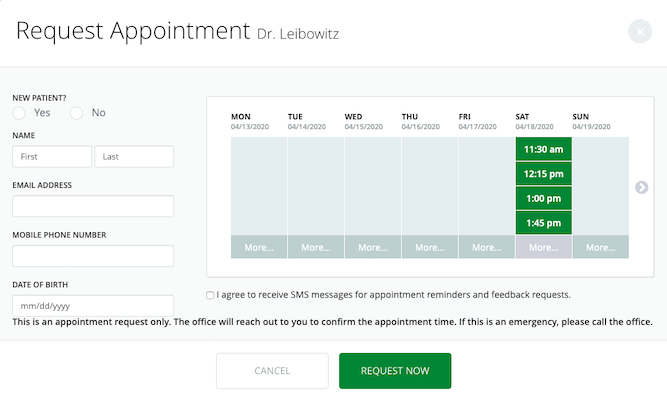
| P:S: If the patient calls the clinic to schedule a visit, you can also ask them to subscribe to texts on the phone when they call. |
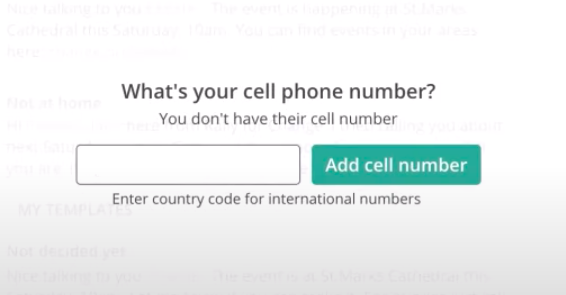
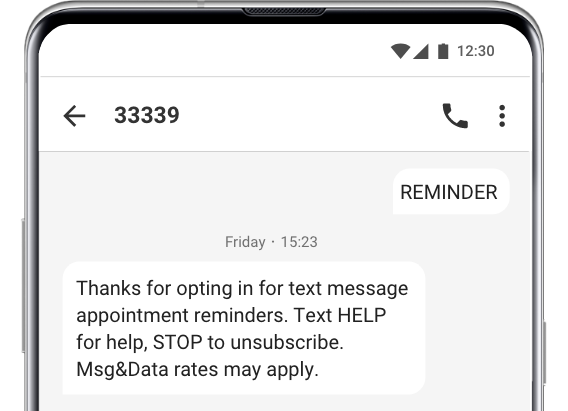
If you want patients who are already at the hospital or clinic to opt-in to your text messages, you can do that with CallHub’s ‘text to join’ campaigns.
Display the keyword and the number to text in with the help of posters in your waiting room.
How to craft an appointment reminder message
While patients may forget that there is an appointment at all, another thing to keep in mind is that they forget or ignore that they must attend the appointment.
Your text message also serves to tell them it is important to come in for the consultation.
A good reminder text message should be able to convey all the information that a patient needs in order to get to their appointment. Since they are limited to 160 characters, you will need to maximize the value of every word in your message.
That includes:
- The date and time of the appointment
- An address if this is their first visit
- Allowing them to cancel or reschedule by replying to the text
- Compliance language letting them know how to opt out of your texts
Here’s an appointment reminder text template to use when reaching your patients.
| Joanne, your appointment with Dr. Renfield is scheduled for 4:15 PM, June 12th. Reply with Y to Confirm, or N to Reschedule or Cancel. Reach out to 534-325-2523 with any questions. Text HELP for help, STOP to unsubscribe. Msg&Data rates may apply. |
If they reply to confirm the appointment, send them an automated follow up:
| Thanks for confirming. Please carry any relevant medical records and documents to your appointment. |
If they reply with no, you can send them a different message.
| We are sorry to hear that. We will be in contact shortly to reschedule your appointment. |
Setting up an appointment reminder text campaign
Get a contact list
Before sending text appointment reminders, you need to get an opt-in from your patients. If you already have a list of contacts, you are ready to send them text alerts.
Upload your contacts
For existing contact lists, you can import them to CallHub.
You can import patient contact details and data from your CRM or a spreadsheet. Make sure you have important data like the appointment time for each patient, so you can personalize your reminders.
Create a campaign for appointment reminder text
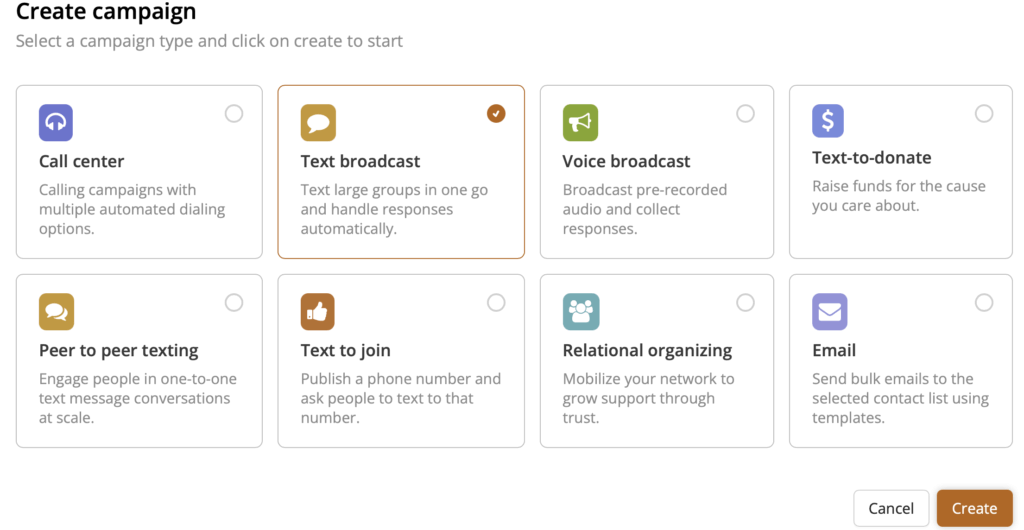
To send text reminders, you need to set up a mass texting campaign. As mentioned earlier, setting up a campaign is just a few minutes of work. 1st Step: Click on text broadcast for mass texting and create the campaign.
Step 2: In the campaign setup, just select the contact list with the contacts you want to send the appointment reminder text to.
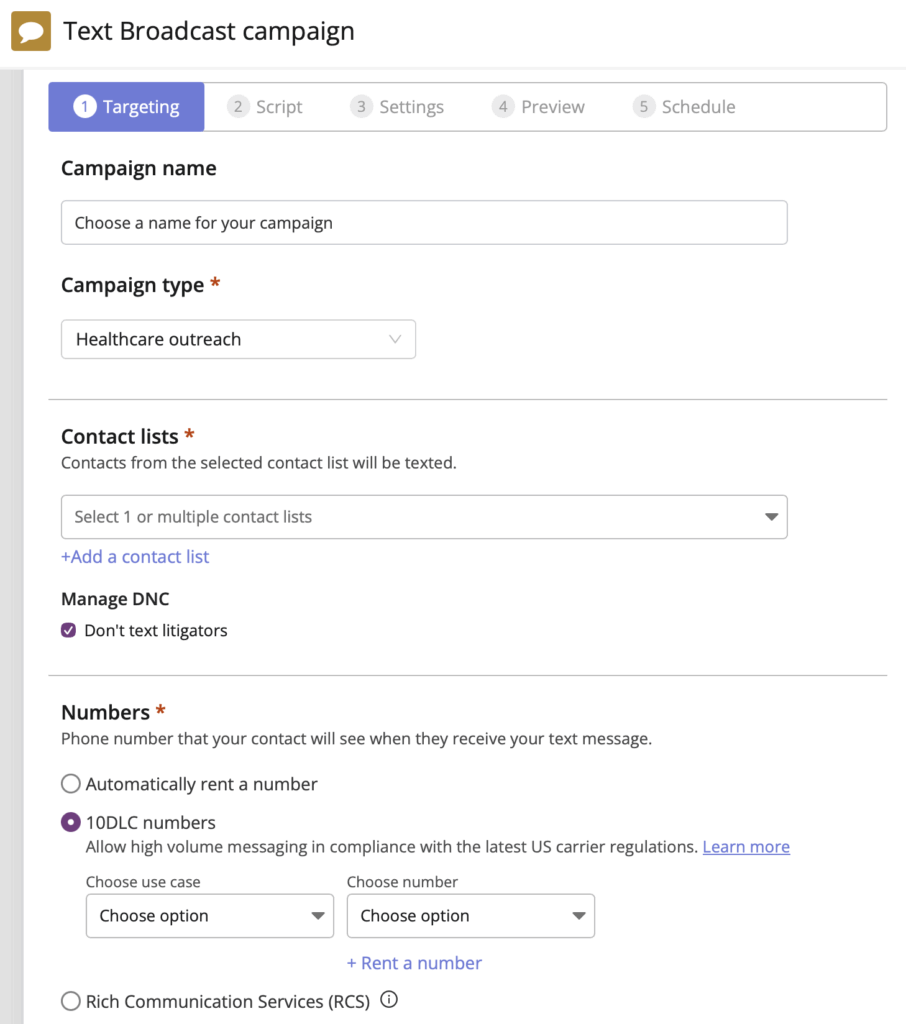
| Pro Tip: If you’re sending appointment reminders in the US, make sure your number is 10DLC registered – carriers heavily filter unregistered healthcare traffic. CallHub handles this for you during onboarding; just submit your practice details once, and your reminders will deliver reliably without carrier blocking. |
Read Also: setting up a mass texting campaign here.
Step 3: Schedule your texts
The best time to send out appointment reminder messages is 24 – 48 hours before the appointment.
Read Also: How to Use Mass Texting for Businesses: 12 Ideas for 2026
Other ways doctors can use text messages
Text messaging offers plenty of options for doctors and clinics to communicate both with patients and internally with staff.
Online consultation reminders
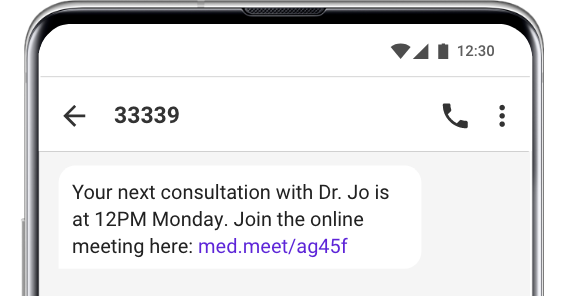
Not all consultations have to happen offline. If you are having a meeting with a patient online, for example, through a video call, you can send a link to the call through text.
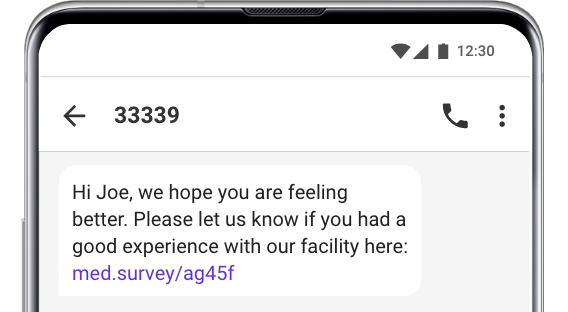
Outpatient patient surveys
You can collect valuable feedback from your patients by sending them a quick survey through text messages.
You can collect feedback by sending them automated text message follow-ups when they answer a question, or a link to a web-based survey.
Read Also: Here is How to Send Automated Texts in 2025
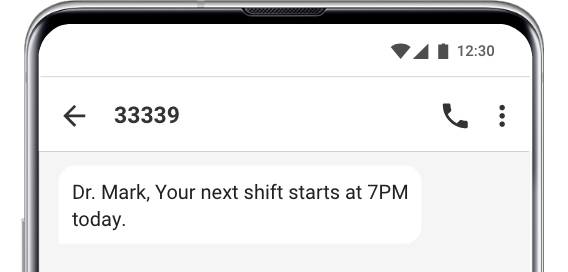
Shift reminders
With a rotating shift of doctors, nurses, and staff, a text message reminder will let you quickly reach staff to let them know when they are needed at a shift.
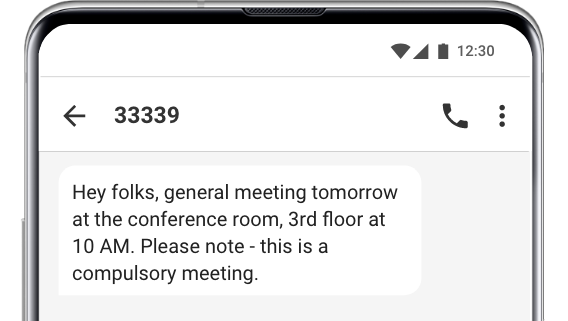
Staff information
Keep staff informed with general updates when necessary. You have the option of having different lists for each department to send targeted messages.
Why Appointment Reminder Texts Matter for Healthcare
Missed appointments cost medical practices thousands of dollars annually. Forgetfulness was the top reason in a UK study; 40% of patients said they simply forgot.
SMS reminders help practices:
- Reduce no-shows
- Improve patient satisfaction
- Increase clinic efficiency
- Cut operational costs
- Automate repetitive scheduling tasks
Moving forward with appointment reminder texts
Text message appointment reminders allow doctors to send speedy appointment reminders to patients, making sure they don’t miss their next consultation. And it’s easy to set up a texting campaign.
If you’re ready to start using text messages to reach your patients, you can get started by signing up.
FAQs: Appointment reminder texts
What are appointment reminder texts, and why are they important for medical practices?
Appointment reminder texts are automated SMS alerts sent to patients to confirm upcoming visits, reduce no-shows, and improve patient engagement, which helps medical practices operate more efficiently and reduce operational costs.
How can appointment reminder texts enhance patient engagement and reduce missed appointments?
Text reminders are reliable because 90% of people read text messages within three minutes, allowing practices to reach patients immediately, convey essential appointment details, and remind them of the importance of attendance.
What are the key considerations for staying HIPAA-compliant when sending appointment reminder texts?
To maintain HIPAA compliance, reminder texts should not include sensitive information such as the reason for the visit, diagnosis, treatment plan, or doctor’s specialty. They should only include date, time, patient’s first name, doctor’s name, and contact information.
What are the recommended methods for obtaining patient consent to receive appointment reminder texts?
Consent can be obtained through online booking with an opt-in checkbox, during phone scheduling by asking explicit permission, or in the clinic with posters instructing patients to text a keyword to opt-in, ensuring legal compliance and proof of consent.
How should a practice set up and execute an appointment reminder text campaign?
First, gather and import your contact list with appointment details, create a mass texting campaign by selecting the contact list, schedule the messages to be sent 24-48 hours before appointments, and ensure your phone number is registered for reliable delivery.
What is a good template for appointment reminder texts?
Here are a few effective examples:
- Friendly Reminder: “Hey [Name]! Don’t forget your appointment at [Business Name] on [Date] at [Time]. Looking forward to seeing you!”
- Simple Reminder: “Hi [Name], this is a reminder for your appointment with [Business Name] on [Date] at [Time]. Reply YES to confirm or call us to reschedule.”
- Polite Reminder with Location: “Hello [Name], your appointment at [Business Name] is scheduled for [Date] at [Time]. Address: [Location]. Reply YES to confirm.”
What is the best app for sending appointment reminders?
The best appointment reminder app depends on your needs, but popular choices include Callhub, Calendly, Setmore, Square Appointments, and SimplyBook.me.


